Every AI virtual try-on, from the slickest retail app to the most basic free tool, essentially does the same two things: it reads your body from a photo or camera feed, then warps a digital garment onto that reading. That is the whole trick, and understanding it changes how you shop. Once you know that the AI first builds a map of your limbs, torso and posture, and only then stretches a clothing image to match, you can look at any try-on result and pinpoint exactly where the technology succeeded or failed — and why some apps look convincingly real while others produce clothes that seem painted on.
Understanding AI Virtual Try-On: A Two-Stage Process
Virtual try-on tools superimpose clothing onto a user's image using AI, computer vision and, in many implementations, augmented reality, which overlays digital images onto real-world views. Writing for the AI development firm LeewayHertz, Akash Takyar describes these systems as combining product visualization with personalized recommendations to create an immersive shopping experience. But that description, accurate as it is, stays at the level of marketing language — it tells you what the technology does for retailers, not what happens inside the image.
The technical explainer published by the StyTrix team fills that gap with a simplified breakdown of how modern AI try-on systems actually operate. The process, they explain, unfolds in two distinct stages: first the AI parses the person's body and estimates their pose, and second it geometrically warps the garment to align with that body. This is a common underlying mechanism rather than a universal standard — different platforms may add refinements — but the two-stage structure gives consumers a reliable mental model for interpreting what they see on screen.
Stage 1: Analyzing Your Body and Pose
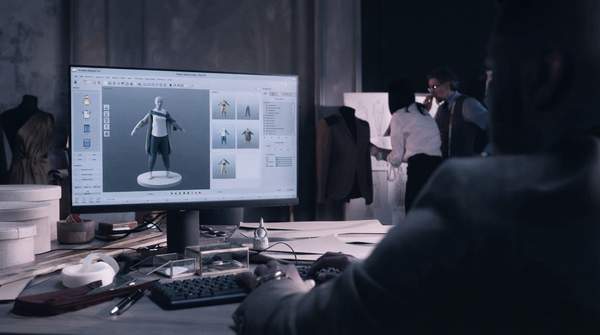
The first stage is where the AI looks at you — or rather, at your image, whether uploaded or captured live. According to the StyTrix breakdown, the AI detects the person in the image by identifying limbs, torso, neck and overall posture. From this detection it constructs two things: a skeletal pose map, which captures how your body is positioned, and a segmentation mask, which separates you from the background and identifies which regions of your body are already covered by clothing.
This stage is crucial for accurately mapping the garment to your form, and it explains several common failure modes. If the pose map misreads where your arm ends or how your shoulder is angled, everything downstream inherits that error. A segmentation mask that confuses your hairline with your collar, or your shadow with your leg, will produce a garment that floats, clips or clings to the wrong place. When a try-on result looks subtly wrong in its outline, the culprit is usually this first analytical pass rather than the clothing image itself.
Stage 2: Digitally Fitting the Garment
Only after your body has been parsed does the clothing enter the picture. In the second stage, the target garment image is geometrically transformed — warped — to align with your body shape and pose. The flat product photo of a dress or jacket is stretched, skewed and repositioned so that its neckline meets your neck, its hem falls where your hem would fall, and its sleeves follow the path of your arms.
This stage determines how realistically the clothing appears on you, and it is where the visible quality differences between apps emerge. Warping a garment is not a simple resize: the AI must account for how the fabric would fold, drape and hang on a three-dimensional body that it only knows as a two-dimensional map. The sophistication of that transformation — whether the garment follows your posture naturally or sits stiffly like a decal — is the single most telling indicator of how well the underlying model was built.
How AI Virtual Try-On Works: A Step-by-Step Model
Use the following framework to trace any try-on result back to the stage that produced it. If the garment is misplaced or misshapen relative to your body, look to Stage 1; if it is positioned correctly but looks flat, stiff or unconvincing, look to Stage 2 and the training data behind it.
| Stage | Technical Operation | What It Determines | Signs of Trouble |
|---|---|---|---|
| Body Parsing and Pose Estimation | AI identifies limbs, torso, neck and posture; builds a skeletal pose map and a segmentation mask separating person from background and clothing | How accurately the garment can be mapped to your form | Garment floating, clipping, or attached to the wrong body region |
| Garment Warping | The garment image is geometrically transformed to align with your body shape and pose | How realistically the clothing appears on you | Stiff, decal-like fabric that ignores your posture and movement |
The model's value is diagnostic: because the stages are sequential, an error in the first contaminates the second, and a convincing result requires both to succeed.
What Makes a Virtual Try-On Realistic? The Role of Training Data
Why do some apps warp garments convincingly while others produce stiff, artificial results? The StyTrix explainer attributes the difference largely to training data. Tools that train on fashion-specific datasets — including garment construction details, fabric behavior libraries and diverse body type representations — produce noticeably better results, according to their comparison of free try-on tools. General-purpose image data, by contrast, may yield less realistic or accurate garment representations, because a model that has never learned how a bias-cut skirt behaves cannot simulate that behavior on your body.
The same source notes that scale matters too: Google's approach benefits from massive compute resources and produces excellent results within a limited scope, while academic models like IDM-VTON advance the state of the art but lack the fashion-specific optimization of commercial tools. The pattern across these comparisons is consistent — realism in fabric drape and fit is directly linked to the AI's ability to handle complex visual elements, which is enhanced by fashion-specific training data. It is worth noting that StyTrix sells its own fashion AI models, so its claim of outperforming general-purpose tools in blind tests is a vendor's self-assessment; the underlying principle about dataset specificity, however, stands independently.
A Consumer's Framework for Evaluating Virtual Try-On Apps
Armed with the two-stage model, you can evaluate any try-on app without needing its technical specifications. Start with fit: does the garment land correctly on your shoulders, waist and limbs, or does it drift and clip? Accurate placement tells you the body-parsing stage is working. Then examine the fabric: does it drape and follow your posture, or does it sit flat like a sticker? Convincing drape signals that the warping stage was trained on garment construction and fabric behavior rather than generic images.
Finally, test the app against your own body type. Because diverse body type representation is one of the hallmarks of fashion-specific training, an app that renders convincingly on a range of bodies is showing evidence of that deeper dataset. One caution: this article does not rank or recommend specific apps, and privacy deserves separate scrutiny — these tools process photos of your body, and since specific app policies vary, check what each platform does with your images before uploading them.
Assessing Virtual Try-On Quality: What to Look For
When evaluating a virtual try-on app, prioritize those that demonstrate realistic fabric drape and accurate fit across diverse body types, as these are the qualities the evidence most strongly links to sophisticated, fashion-specific AI training; natural lighting and shadow effects may also indicate quality, though the evidence ties them less directly to training data than drape and fit. The measurable indicator is simple: observe the visual artifacts in the try-on result, specifically checking for unnatural fabric behavior, poor garment fit, or unrealistic shadows and highlights. An app whose results pass that test on your own body, in your own pose, has demonstrated both stages of the process working — and that is a far more reliable verdict than any app-store rating.
Sources
- AI-enabled virtual try-ons: Overview, use cases and technologies — LeewayHertz - AI Development Company
- 8 Best Free AI Virtual Try-On Tools in 2026 (Tested & Ranked) — Stytrix